Pricing
Your room types each carry one usual nightly rate. Everything that varies that rate lives under Settings → Pricing, in three tabs.
| Tab | Varies the rate by | Applies |
|---|---|---|
| Rate Plans | Who is booking | Only when you pick the plan on a booking |
| Seasonal Overrides | Time of year | Automatically, on dates in range |
| Weekday Overrides | Day of the week | Automatically, every week |
All three are multipliers, so 1.00 means no change. Where more than one
applies to the same night they are combined rather than picked between — see
When more than one applies before setting two of
them.
Reading a multiplier
| Multiplier | Effect on a rate of 1000 |
|---|---|
1.50 |
+50% → 1500 |
1.10 |
+10% → 1100 |
1.00 |
no change → 1000 |
0.80 |
−20% → 800 |
Rate plans
Settings → Pricing → Rate Plans
A rate plan is a named price adjustment you apply to a booking by choosing it — a corporate discount, a negotiated agent rate, a promotion. Unlike the two override types, nothing happens until someone selects it.
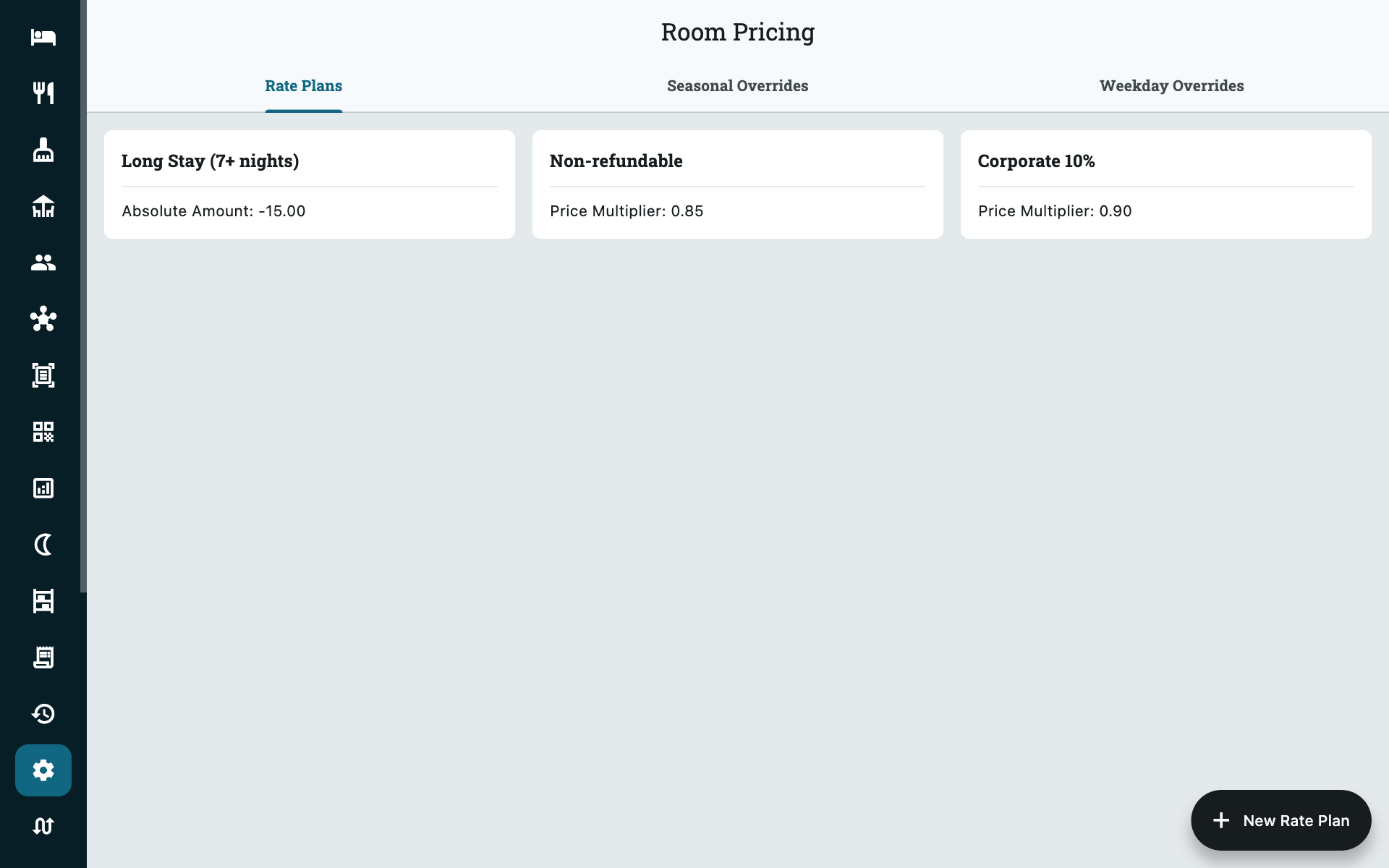
Rate plans are optional and a new property has none. A booking made without one is priced at the plain room type rate, adjusted by the two overrides below. You only need a plan when a particular customer should pay something different from everyone else.
| Field | What it does |
|---|---|
| Name | What staff pick from. Name it after the deal: Corporate 20%, Weekend Special. |
| Price multiplier | Multiplies the nightly rate. 0.80 takes 20% off. |
| Fixed amount | A flat amount added to or subtracted from the nightly rate. |
| This Plan is Active | Turn off to stop the plan being used on new bookings. |
Fixed amount wins over price multiplier
If you fill in both, the fixed amount is used and the multiplier is ignored. Use one or the other per plan.
The form has a Calculation preview at the top that spells out what your
numbers do to a rate of 100. Check it before saving — it is the quickest way to
catch a multiplier entered as 20 when you meant 0.80.
Deactivating is not deleting
Turning off This Plan is Active only stops the plan being applied to new bookings. Bookings already using it keep it, and their prices do not change.
Seasonal overrides
Settings → Pricing → Seasonal Overrides
A date range that moves your rates for as long as it lasts — high season, festival week, monsoon discount. These apply on their own, with no action from your staff.
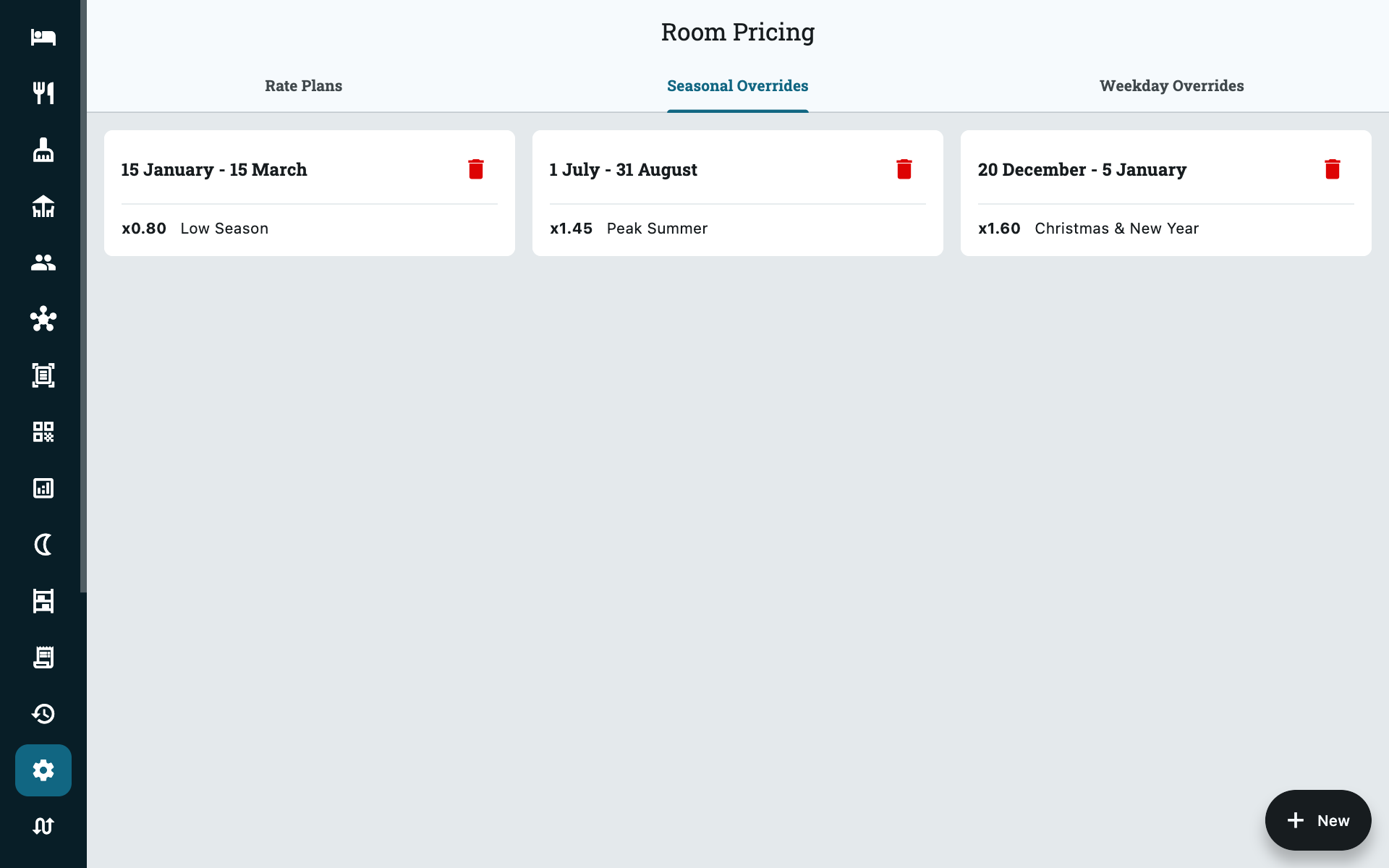
| Field | What it does |
|---|---|
| Description | What the season is. Staff see this, so make it obvious: Peak — Christmas & New Year. |
| Price multiplier | Applied to nights inside the range. |
| Start Day / Start Month | First day of the season. |
| End Day / End Month | Last day of the season. |
Seasons repeat every year
You choose a day and a month, but never a year — so a season set to 20 December – 5 January comes back every year automatically. You do not need to recreate it each December.
This also means you cannot use a seasonal override for a one-off event on specific dates in one year only. Price those nights on the booking instead.
Ranges that cross into January
A range from 20 December to 5 January is fine. Set the start to
20 December and the end to 5 January — you do not need two entries.
Overlapping seasons do not add up
If two seasons cover the same night, the higher multiplier wins and the
other is ignored. A 1.20 December season overlapping a 1.50 Christmas
week gives 1.50 on the shared nights, not 1.80.
So you can safely lay a short peak season over a broader one without the prices running away. What you cannot do is build a peak rate out of two stacked seasons — set the multiplier you actually want on the narrower one.
Weekday overrides
Settings → Pricing → Weekday Overrides
One multiplier per day of the week, applied every week. This is how you charge more at weekends without touching a room type or creating a plan.
Set every day you want unchanged to 1.00, and only raise or lower the ones
that differ. A typical city hotel might run:
| Day | Multiplier |
|---|---|
| Monday – Thursday | 1.00 |
| Friday | 1.50 |
| Saturday | 1.50 |
| Sunday | 1.20 |
Unlike rate plans and seasonal overrides, there is only ever one set of weekday multipliers for the whole property. Editing them replaces the previous values.
Weekday multipliers apply to every room type
There is no per-room-type weekday pricing. If one room type should not
follow your weekend uplift, weekday overrides are the wrong tool — set that
room type's usual rate to suit and leave the weekdays at 1.00.
When more than one applies
A Saturday night in high season on a corporate rate is touched by all three mechanisms at once. They are applied in a fixed order, one after another, each working on the result of the last:
- Start with the room type's nightly rate.
- Multiply by the seasonal multiplier, if a season covers that night.
- Multiply by the weekday multiplier for that day.
- Apply the rate plan, if one was chosen — its fixed amount is added, or its multiplier applied.
- Add the extra guest surcharge for any adults over base occupancy (booking engine only — see Property setup).
Every night of a stay is priced separately, so a Friday and a Saturday in the same booking can differ.
Multipliers compound — they do not add
Step 2 and step 3 multiply together. A 1.50 season and a 1.50 weekend
is 2.25× the base rate, not 2.0× and not 3.0×:
| Step | Rate |
|---|---|
| Room type nightly rate | 1000 |
× 1.50 season |
1500 |
× 1.50 Saturday |
2250 |
This is the single most common pricing surprise. If 2250 is not what you
would charge, lower one of the two multipliers — a 1.50 season with a
1.20 weekend gives 1800.
A rate plan discounts the uplifted price, not the base rate
Because the plan is applied last, a Corporate 20% plan (0.80) on that
same Saturday takes 20% off 2250, giving 1800 — not 20% off 1000.
That is usually what you want for a percentage deal. A Fixed amount
plan behaves the same way — the amount is added to the uplifted price, so
-200 on that Saturday gives 2050, not 800.
Neither option can hold a rate steady across dates. If a company has been promised 1200 a night whatever the day or season, no rate plan will deliver that on its own; override the nightly price on the booking itself.
Test a combined case before you rely on it
Take one test booking that hits every rule at once — a weekend night, inside a season, on the plan you intend to use — and read the nightly rate on the folio before going live.
Common questions
Should I use a rate plan or a seasonal override for a weekend promotion?
A seasonal override, if it runs over fixed calendar dates and should apply to everyone automatically. A rate plan, if your staff should choose whether a given booking gets it.
My rate came out higher than I expected
Almost always two multipliers compounding. Check whether the night falls
inside a season and carries a weekday multiplier — 1.50 and 1.50 is
2.25×, not 1.5×. Work through
When more than one applies with the actual
date.
My weekend rate is not showing up
Check the weekday multipliers are not all 1.00, and that you saved the
tab. Also confirm you are looking at a new quote — bookings already taken
keep the rate they were made at.
Can I set a different price for one specific room?
No. Prices belong to the room type, not the individual room. If one room genuinely commands a different rate, it needs its own room type — see Property setup.
How do I stop a discount being used without deleting its history?
Turn off This Plan is Active. The plan stays on past bookings and in your reports, but cannot be applied to new ones.